
A timer that fits your rhythm
Choose a normal timer or Pomodoro, set your daily goal and name your current task. Pause and resume without losing the time already recorded.
You put the hours in. See what they add up to.
Plan your day, protect your focus and understand what moved forward. Local AI connects your activity to your next decision.
Planned one-time offer. Checkout not open yet.
Debugging a checkout flow
Testing the payment flow and reading API documentation belong to the same piece of work.
Follow the app from your first task to your work report. This short guide covers planning, Pomodoro, Total Focus, Insights and the controls around your data.
English narration and captions. FlowSight 6.1.0 with illustrative demo data; optional Cloud features depend on your plan.
Chapters and transcriptLess guessing where the time went.
More understanding what moved forward.
See recorded time, work categories and sustained focus in one view. Open a work report for today, seven days or thirty days, then decide what to try next.
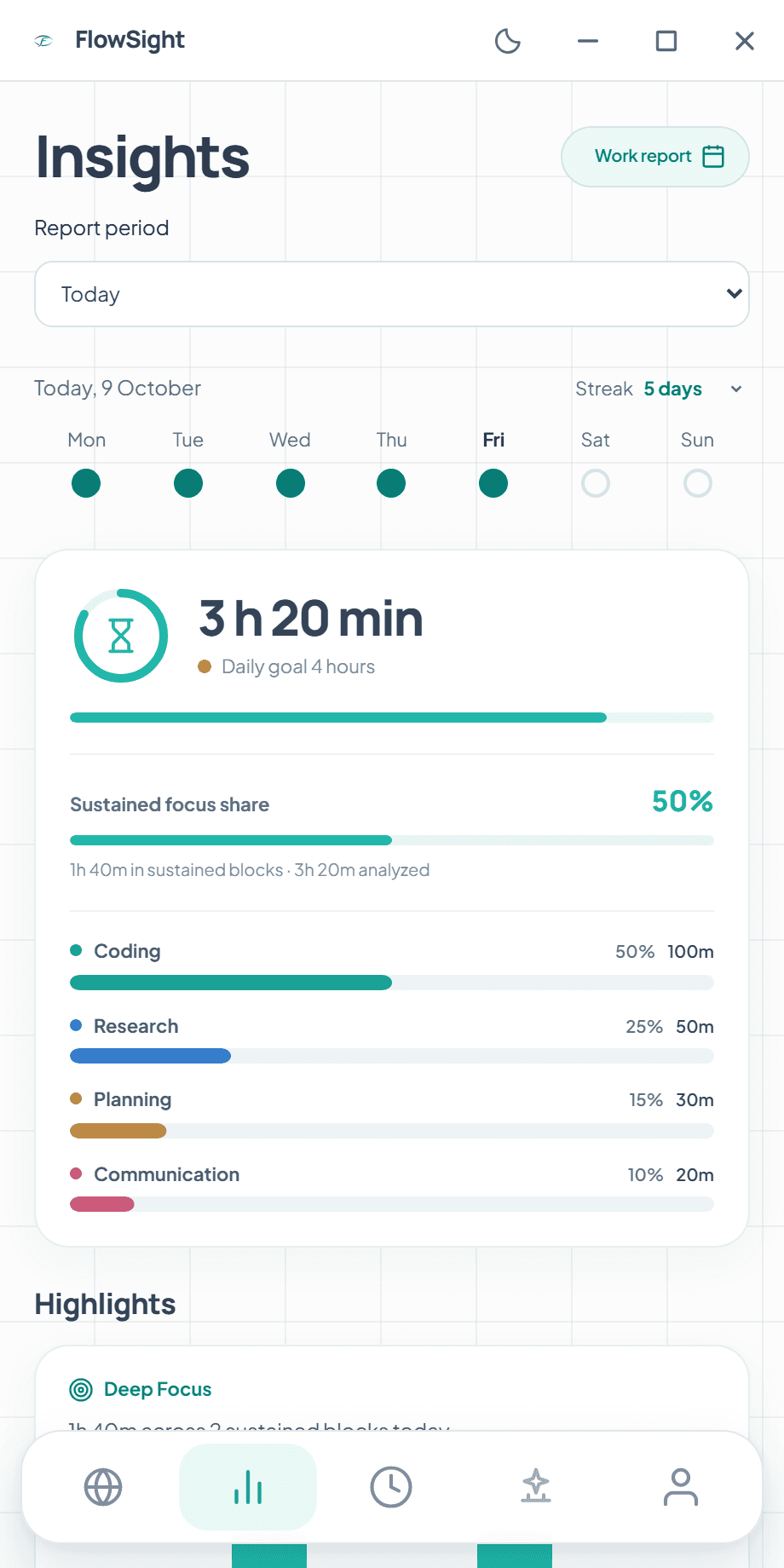
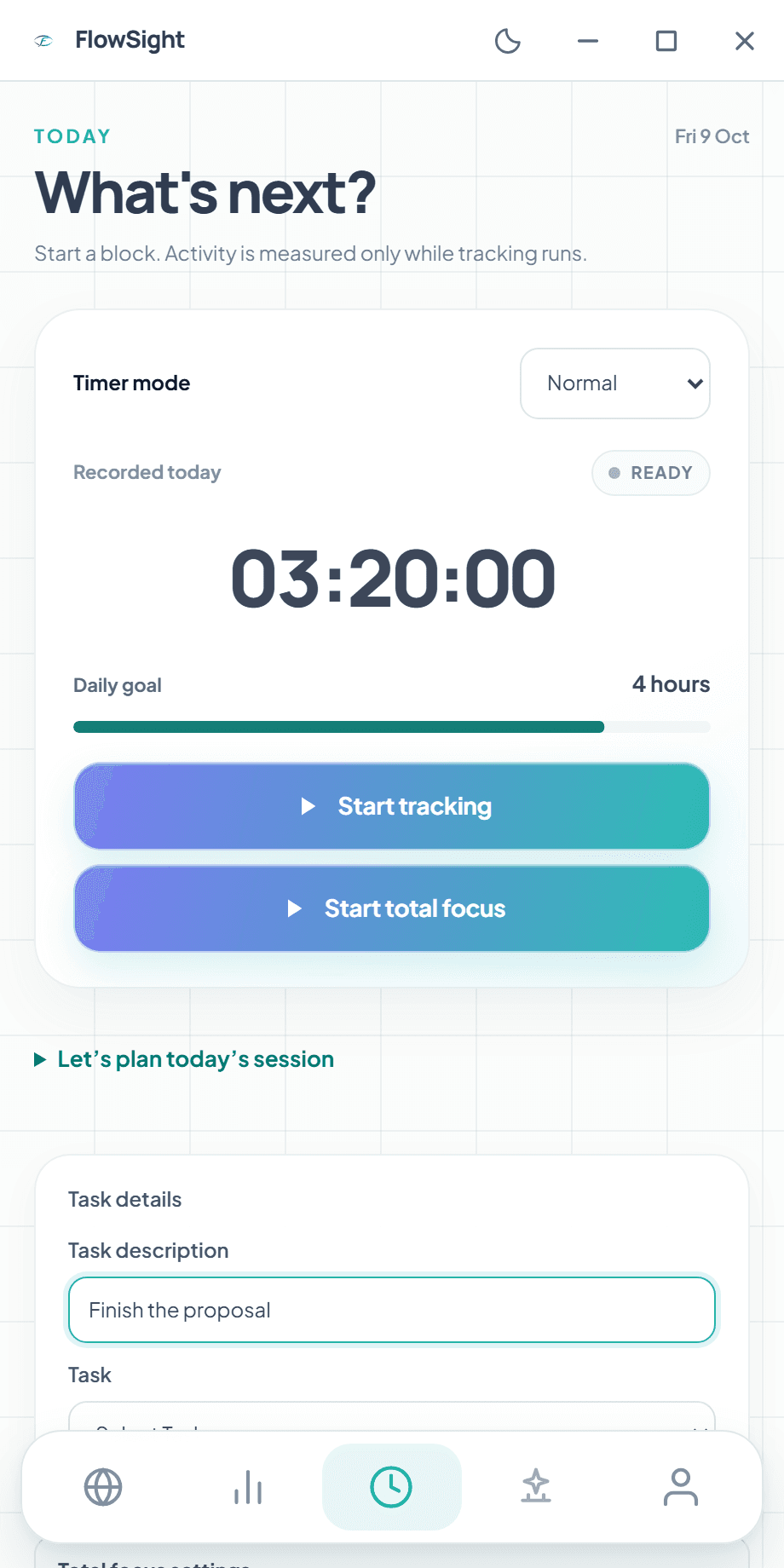
FlowSight 6.1.0 · Windows Example activity
Tell the local AI what you want to finish and when you have time. It considers your tasks, preferences and recorded task time to suggest a session with clear work blocks.
Planning runs locally. FlowSight is the default calendar; connected calendar destinations require an eligible connection.
“Finish the proposal before my 11:00 call.”An example intention for the local AI
See where your time went, when sustained focus happened and what you could try next. FlowSight brings the patterns together in a report you can actually use.
Review a day, a week or a month. Keep a PDF, or schedule a weekly report to a local folder.
Based on recorded activity, with observed-day coverage and AI or rules-based origin identified in the app. A view of your working patterns, not a score for the quality of your work.
Thursday had the most sustained focus.3 hours across 5h 30m of recorded activity.
Research & planning took 9 hours.5h of research and 4h of planning in this example week.
Something to try next weekProtect a 50-minute block for your main task, then review how it went.
Included local capabilities, with controls you choose.
Choose a normal timer or Pomodoro, set your daily goal and name your current task. Pause and resume without losing the time already recorded.
Choose websites to block, keep useful exceptions and set a focus duration. Browser Controls connects protection to the main clock. Windows can also silence notification banners during the block.
Requires the paired FlowSight Browser Controls extension. Website blocking does not require a cloud plan or a running AI model.
Opt into local AI focus reminders based on observed activity. Decide separately whether a reminder may include your current task or an app name. Reminders wait while total focus is active.
Focus reminders are off by default. Notification controls shown here are from the current Windows app.
See your recorded-day streak, weekly rhythm and personal milestones. A small daily step helps you build consistency; you can hide this view whenever you prefer.
Review today, the last 7 days or the last 30 days. Export a PDF, or schedule a weekly local PDF to a folder you choose while FlowSight is running. Reports identify their AI or rules-based origin.
Manage local tasks and calendar blocks, save preferences, prepare message drafts and PR descriptions, and run focus routines. Proposed changes show their target and wait for your confirmation.
Drafts stay drafts: the current local agent does not send messages or publish project updates. Browser actions require Browser Controls.
Product views and new features shown here are from FlowSight 6.1.0 for Windows. macOS and Linux releases follow their own update schedules.
Local tracking and reports work without a cloud account. Add a connection when it helps, with a clear choice about what leaves your device.
See your current event in Today. With separate permission, Calendar companion can append a short work recap to an event you organize. A recap can be visible to its guests.
Bring connected project tasks into your day and publish a report to a Notion destination you select. Each service requires its own connection and the relevant access.
Let a compatible AI client read the FlowSight reports you request. Descriptions and ticket IDs are excluded by default; requested data is shared with the client you connect.
Create or join a private group and turn eligible focus blocks into weekly points. Friends see your alias, points and position. App names, tasks and screen captures stay out of leagues.
Activity is the starting point. FlowSight brings local AI, planning, focus tools and reports together to help you understand your day and shape the next one.
| CompetitorsCommon approaches | FlowSight SoloContext-aware intelligence | |
|---|---|---|
| Understand the activity | App, website or timer-based tracking | Screen context analysed with local AI |
| Make sense of the work | Categories and dashboards vary by tool | Work categories, sustained focus and report insights |
| Plan the next step | Planning may need a separate tool | Local AI session plans and calendar blocks |
| Protect your attention | Focus controls depend on the product | Timers, Browser Controls and local reminders |
| Choose your desktop | Platform support varies | Windows, macOS and Linux |
A comparison of common approaches, not every competing product. Features, plans and platform availability vary by tool.
Your local edition brings together AI analysis, session planning, focus tools, work reports and private review decisions.
€25once
One payment. One computer per operating system. Local updates included.
€25 is the planned one-time price, including applicable tax. Checkout not open yet.
Ask about availabilityAlready using FlowSight? You keep your local updates without paying again.
No. The local edition includes a model that analyses sensitive screen context on your device. Optional cloud services and connections to external AI are separate choices and can send selected data to those services.
The planned €25 total, including applicable tax, covers the official Windows, macOS and Linux installers, one active computer per operating system, and local updates. Monthly cloud plans are separate. Checkout is not open yet; contact us for availability.
Existing users, including historical purchasers, keep their local updates without paying again. Previously published installers remain available during the transition.
Yes. The source stays public under AGPL-3.0. You can use, build, modify and redistribute it under that licence. The one-time offer is for the official distribution, not exclusive rights to the code. View the repository.
Make your next day
make more sense.